

Verification Guide
How to Fill Out the W-8 Tax Form on Payoneer
Payoneer asks for the W-8 form in the Verification Center to release receipts from marketplaces and international clients based in the US.
Step-by-Step Onboarding for Payoneer
1. Open the Payoneer Verification Center
In the top menu, go to 'Settings' > 'Verification Center' and find the 'US Tax Form (W-8)' request.
2. Choose between individual or company
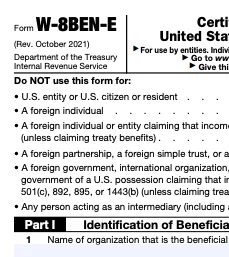
If your Payoneer account is individual, fill out the W-8BEN with your CPF. If it is a business account, fill out the W-8BEN-E with your CNPJ.
3. Enter the Foreign Tax ID
Enter your full CPF or CNPJ in the field for the tax ID issued by the Brazilian government.
4. Submit the generated form
Upload the official PDF generated by FormW8 or sign digitally on the Payoneer screen.
Frequently Asked Questions for Payoneer
Does Payoneer block withdrawals if the W-8 is not submitted?
Yes. The account may have reduced limits or transfers temporarily held until proof of non-US residency is provided.