

How to Fill Out Form W-8 on Deel
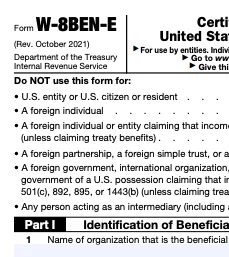
Deel requires the W-8 certification before releasing withdrawals and transfers to bank accounts in Brazil. If you work through a company (CNPJ, SLU/LTDA), use the W-8BEN-E; if you work as an individual freelancer, use the W-8BEN.
Step-by-Step Onboarding for Deel
1. Open the Tax Documents menu on Deel
In your contractor dashboard on Deel, click your profile > 'Account Settings' > 'Tax Documents', or follow the pending tax notice banner.
2. Select the registration type (Individual vs Entity)
If your Deel contract was signed with your company (CNPJ), select Entity (W-8BEN-E). If it was signed with your CPF, select Individual (W-8BEN).
3. Enter your Foreign Tax ID (CPF or CNPJ)
In the 'Foreign Tax ID / TIN' field, enter your CPF (individual) or CNPJ (company). Do not check the option to request a US ITIN/EIN.
4. FATCA classification for companies (SLU / LTDA)
For Brazilian service companies (IT, design, consulting), select 'Corporation' for Chapter 3 and 'Active NFFE' for Chapter 4.
5. Download the filled PDF and upload it if requested
Use the FormW8 generator to get the form PDF already sanitized to ASCII, then upload it or confirm the answers directly in the Deel interface.
Frequently Asked Questions for Deel
Why does Deel ask for the W-8 form?
As a US-based company, Deel is required by the IRS to collect proof that the service provider lives outside the US so that the mandatory 30% withholding is not applied.
How long does Deel take to approve the W-8?
Electronic processing is usually immediate. If you upload a PDF manually, Deel's compliance team reviews the document within 24 to 48 business hours.