

How to Complete Form W-8 on Micro1
Micro1 connects remote software developers and engineers with US technology companies and startups. To disburse USD earnings without mandatory 30% IRS backup withholding, Micro1 requires a certified Form W-8BEN (for individuals) or W-8BEN-E (for incorporated entities).
Open your account with Micro1 through the official partner link to receive foreign payments with exclusive perks.
Step-by-Step Onboarding for Micro1
1. Open the Micro1 developer payouts dashboard
In your Micro1 talent portal, navigate to profile settings or 'Payouts & Compliance' to find the US tax documentation checklist.
2. Choose between Individual (W-8BEN) or Company (W-8BEN-E)
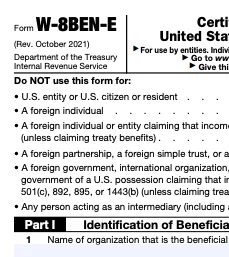
If contracted as a solo freelancer, select Form W-8BEN. If operating through your own registered company, select Form W-8BEN-E.
3. Enter your national Foreign Tax ID
Provide your national tax identification number (such as CPF or CNPJ in Brazil) in Line 6 (Foreign TIN). No US ITIN or EIN is required.
4. Select Chapter 3 and Chapter 4 FATCA status (for companies)
For technology corporations, classify as 'Corporation' under Chapter 3 and 'Active NFFE' under Chapter 4 FATCA to certify active service revenues.
5. Sign and upload the certified PDF document
Generate your official IRS-compliant PDF using FormW8, sign electronically, and submit it through Micro1 for prompt compliance approval.
Frequently Asked Questions for Micro1
Why does Micro1 require Form W-8?
As a US-based entity, Micro1 is mandated under the US Internal Revenue Code to collect foreign status certifications from international contractors to waive the standard 30% withholding tax.
Can international contractors bill Micro1 as a corporate entity?
Yes. Micro1 supports both individual freelancers (Form W-8BEN) and incorporated business entities (Form W-8BEN-E).
How long does Form W-8 remain valid on Micro1?
Form W-8BEN and W-8BEN-E are legally valid for three full calendar years following the year of signature.