

How to Complete Form W-8 on Mercor
Mercor is an AI-powered talent platform connecting software engineers, machine learning researchers, and technical specialists with global clients. Before disbursing international payments in USD, Mercor requires certified proof via IRS Form W-8.
Open your account with Mercor through the official partner link to receive foreign payments with exclusive perks.
Step-by-Step Onboarding for Mercor
1. Access the Mercor earnings and compliance section
Log in to your Mercor contractor dashboard, go to 'Earnings & Tax Info', and open the US tax form onboarding section.
2. Select the appropriate form type (W-8BEN vs W-8BEN-E)
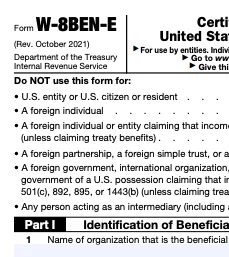
Select W-8BEN if you are an individual contractor, or W-8BEN-E if you are contracted through an incorporated business entity.
3. Enter your identification details and Foreign Tax ID
Provide your full legal name or organization name without accents, along with your national Foreign Tax Identifying Number.
4. Confirm services are performed outside the United States
Enter your foreign permanent address to certify that work is performed entirely abroad, qualifying as foreign-source income.
5. Submit your signed form on the platform
Download the pre-filled official PDF generated by FormW8, sign the certification line, and upload it to Mercor to enable payouts.
Frequently Asked Questions for Mercor
Does Mercor withhold taxes if Form W-8 is missing?
Yes. Without a verified W-8BEN or W-8BEN-E on file, US payers are legally required to withhold 30% backup withholding on all gross payouts.
Can I receive Mercor payouts via international business accounts?
Yes. Payouts can be routed to foreign business accounts or exchange providers, provided the beneficiary details match your tax filing.
How should I sign the form for Mercor?
You can sign digitally with compliant PDF signature tools (Adobe Acrobat, Preview, DocuSign) or print, wet-sign, and scan the document.